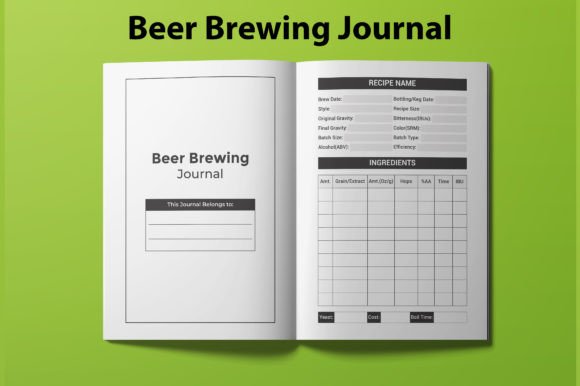
The Complete Guide to Using a Beer Brewing Journal Template for Amazon KDP Success
If you have ever brewed beer at home, you already know that the difference between a mediocre batch and an exceptional one often comes down to the details. The temperature of your mash, the exact hop addition times, the gravity readings before and after fermentation—these numbers matter. Recording them consistently is what separates casual brewers from those who consistently produce award-worthy beer. That is where a well-designed Beer Brewing Journal Template becomes indispensable, not just for brewers but also for publishers looking to tap into the Amazon KDP marketplace.
Creating an interior for a brewing journal that is both functional and print-ready requires attention to layout, page count, file format compatibility, and audience expectations. The right template does not just help brewers stay organized. It helps you, as a publisher, deliver a product that stands out in a competitive niche. Let us explore what makes these interiors effective and how you can leverage them for a smooth KDP upload process.
What Makes a Beer Brewing Journal Interior Print-Ready
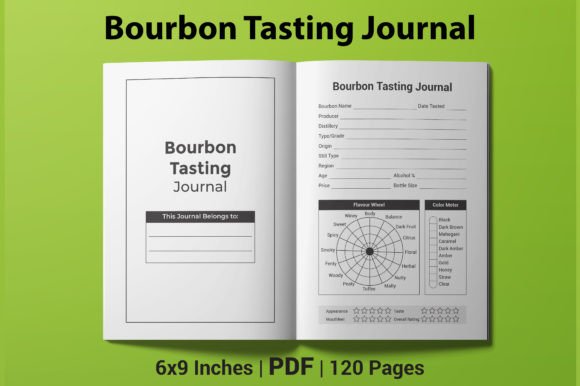
A print-ready interior is more than just a collection of blank lines and headers. It is a carefully structured layout that guides the user through their brewing process while remaining compatible with Amazon's strict formatting requirements. When you download a Beer Brewing Journal Template that comes with PDF, AI, EPS, and JPG files, you gain the flexibility to customize the design before publishing or use the PDF as-is for immediate upload.
Several elements define a high-quality interior for this niche:
- Clear, logical sections for recipe planning, brew day logs, fermentation tracking, and tasting notes
- Generous space for handwritten entries, including fields for date, batch number, ingredients, and observations
- Consistent margins and trim sizes that match KDP specifications, such as the standard 6×9 inch format
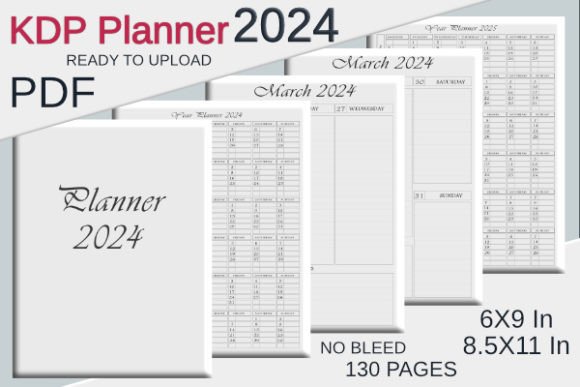
- No bleed requirements, which simplifies the upload process and reduces printing costs
- High-resolution graphics and text that remain crisp when printed on demand
Because the interior is the core of your book, investing in a template that already meets these criteria saves you hours of formatting headaches. The 100, 110, or 120-page options give you room to offer different levels of depth without overwhelming the user or inflating production costs unnecessarily.
Understanding the Dimensions and Page Count Options
The 6×9 inch trim size is one of the most popular choices for paperback journals on Amazon. It fits comfortably in hand, provides enough writing space without feeling bulky, and aligns with customer expectations for guided notebooks. When you select a Beer Brewing Journal Template designed for 6×9 inches, you eliminate the risk of misaligned content or awkward page breaks that can occur when resizing a layout yourself.
Page count matters more than many new publishers realize. A 100-page journal might appeal to beginners who want to test the waters without committing to a thick book. A 120-page version, on the other hand, feels more substantial and can justify a higher price point. Intermediate and advanced brewers often prefer more pages because they brew frequently and want a single journal that lasts through multiple batches. Offering multiple page count versions from the same base template lets you target different segments of the brewing community without starting from scratch each time.
No Bleed: Why It Simplifies Production
The no-bleed specification means that content does not extend to the very edge of the page. Instead, everything stays within the safe printable area. For a journal interior, this is actually ideal. You do not need full-bleed images or edge-to-edge color to create an attractive and functional product. Brewers care about the content, not decorative borders that risk being cut off during printing.
No-bleed interiors also upload faster to KDP because there are fewer preflight checks to worry about. The PDF is ready to go without additional adjustments, which is a significant advantage when you are preparing multiple products for publication.
The File Package: More Than Just a PDF
A complete interior package typically includes PDF, AI, EPS, and JPG formats. Each file type serves a different purpose, and understanding these differences helps you get the most out of your template investment.
The PDF file is your primary upload asset. It is 100% ready for Amazon KDP, meaning you can drop it directly into the KDP dashboard without any modifications. The AI and EPS files are editable vector formats that work with Adobe Illustrator and other professional design software. If you want to change fonts, adjust spacing, or add your own branding elements before generating a new PDF, these files give you that freedom.
The JPG files, while less commonly used for interiors, can be helpful for previews, marketing materials, or testing layouts before committing to a final print version. Having all four formats in one download means you are covered whether you prefer a quick upload or a fully customized publishing workflow.
How a Beer Brewing Journal Fits Into the Modern Homebrewing Workflow
Homebrewing has evolved significantly over the past decade. Temperature-controlled fermentation chambers, digital hydrometers, and recipe formulation software are now common tools. Yet many brewers still rely on paper journals for their brew day logs and tasting notes. The tactile experience of writing down observations, sketching out new recipes, and flipping back through past batches adds a layer of engagement that apps cannot fully replicate.
A printed journal becomes a personal archive. Each entry captures not just the numbers but also the context—the weather on brew day, the friends who helped, the unexpected adjustments that saved a batch. Over time, that collection of handwritten notes becomes a resource that brewers reference again and again.
When you publish a Beer Brewing Journal Template as a paperback on KDP, you are providing a tool that fits naturally into this workflow. The journal does not compete with digital tools. It complements them. A brewer might use software to calculate bitterness and alcohol content but still prefer a physical book for recording their sensory impressions and procedural notes.
Practical Considerations Before You Upload to KDP
Even with a pre-made interior that is already print-ready, there are a few factors to check before hitting publish. The PDF file labeled as ready for KDP should be tested with Amazon's online previewer. This lets you verify that all pages appear correctly and that no content is cut off or misaligned.
Since the template includes interior only, you will need to create your own front and back covers. This is standard practice for many KDP publishers, and it gives you creative control over the book's first impression. A cover that communicates the journal's purpose clearly—whether through imagery of hops, brewing equipment, or minimalist typography—helps attract the right audience.
Consider also whether you want to include a table of contents, numbered pages, or a small index at the back. Some brewers appreciate being able to flip directly to a specific batch. Others prefer a simpler layout without extra navigation. The beauty of having editable AI and EPS files is that you can experiment with these additions before settling on a final design.
Pricing and Positioning
Journals in the 6×9 inch format with 100 to 120 pages typically fall into a comfortable price range on Amazon. The no-bleed interior keeps printing costs lower, which means you can maintain a healthy royalty even at a competitive price point. Positioning the journal as a practical tool for serious homebrewers, rather than a novelty item, appeals to customers who are willing to pay for quality and functionality.
Brewers are often passionate about their hobby and willing to invest in good equipment and supplies. A well-crafted journal is a low-cost addition to their toolkit that delivers long-term value. Emphasizing this in your product description helps convert browsers into buyers.
Common Features Brewers Look For in a Journal
Understanding what your target audience actually needs from a brewing journal helps you assess whether a given template will resonate with customers. Experienced brewers tend to value detailed log sections that include spaces for:
- Original and final gravity readings
- Mash temperature and duration
- Boil time and hop addition schedule
- Fermentation temperature timeline
- Yeast strain and pitching rate
- Tasting notes with aroma, flavor, mouthfeel, and appearance descriptors
- Carbonation method and final packaging details
Beginners, on the other hand, may benefit from simplified pages that guide them through their first few batches without assuming prior knowledge. A template that offers a mix of detailed and streamlined pages gives you the flexibility to cater to both groups depending on how you structure the final book.
Some journals also include reference pages with common brewing calculations, water chemistry targets, or style guidelines. These extras add perceived value and make the book feel more comprehensive. However, they also take up pages, so it is important to balance reference material with actual logging space. The 110-page option is often a sweet spot that allows for both without making the book too thin or too thick.
File Readiness and the Upload Workflow
One of the biggest advantages of a professionally prepared interior is the streamlined upload experience. The PDF file is designed to meet KDP's specifications exactly. That means correct margins, proper resolution, embedded fonts, and no missing elements. When you upload a Beer Brewing Journal Template that is truly print-ready, the KDP previewer should show every page exactly as intended.
If you decide to customize the interior using the AI or EPS files, keep a few best practices in mind. Always outline fonts before saving the final PDF to avoid font substitution issues. Export at 300 DPI to ensure clarity. Double-check that no content falls outside the safe margin zone. Small mistakes in these areas can lead to delays or rejected uploads, so taking the time to verify each step pays off in the long run.
Because the template already includes high-resolution interiors, you can focus your energy on crafting a compelling product listing, gathering early reviews, and promoting your book to brewing communities online. The heavy lifting of layout and formatting is already done.
Observations on the Brewing Journal Market
The market for brewing journals on Amazon is active but not overly saturated. Many existing products lean toward generic layouts that lack the specific fields brewers actually want. A template designed with real brewing workflows in mind immediately sets your book apart. Small touches, such as dedicated space for water treatment notes or a section for yeast harvesting records, can make a significant difference in how useful the journal feels.
Brewers also tend to appreciate aesthetic consistency. A clean, readable font, subtle line weights, and organized page layouts contribute to a professional feel. Flashy graphics or cluttered designs can be distracting, especially when the primary purpose of the book is functional note-taking. The best journals strike a balance between visual appeal and practical usability.
Another observation worth noting is that many brewers buy journals as gifts for fellow brewing enthusiasts. A well-designed interior that looks good when flipped through in the Amazon preview can encourage impulse purchases. Including a sample page image in your listing that shows the layout clearly gives potential buyers confidence in the product.
Final Thoughts on Choosing the Right Template
Selecting a Beer Brewing Journal Template for your KDP publishing project involves more than just picking a file and uploading it. You are choosing the foundation of a product that will help brewers capture their creative process, learn from past batches, and refine their craft over time. The best templates are those that balance thoroughness with simplicity, offer flexible file formats for customization, and adhere to Amazon's technical requirements without requiring additional adjustments.
Whether you opt for 100, 110, or 120 pages, the key is delivering a journal that feels complete and purposeful. Brewers who use your product will return to it batch after batch, and that kind of repeat use builds trust in your brand as a publisher. With the right interior in hand, you are well on your way to launching a product that serves a passionate and growing community of homebrewers.