Unicorn Coloring Book KDP Interior V28: A Practical Guide to Creating and Selling High-Quality Coloring Pages
If you are looking to publish a coloring book on Amazon KDP, the Unicorn Coloring Book KDP Interior V28 offers a ready-to-use set of six cute unicorn coloring pages. This digital product includes multiple file formats, high-resolution artwork, and a layout that has been tested on the KDP platform. But having a good template is only the first step. Many creators make avoidable mistakes that hurt their book’s quality, delay publication, or lead to poor customer reviews. This article walks you through what this interior set really offers, common pitfalls, and how to get the best results whether you are a beginner or an experienced publisher.
What Makes This Digital Coloring Page Set Stand Out
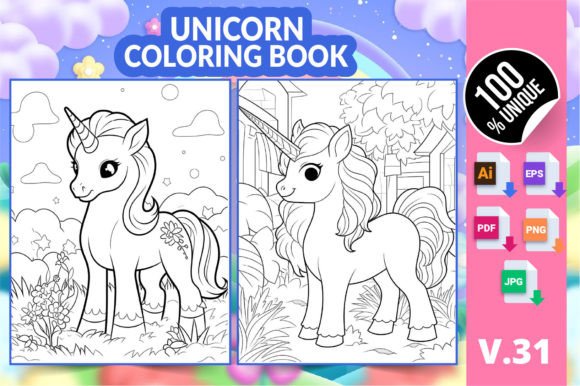
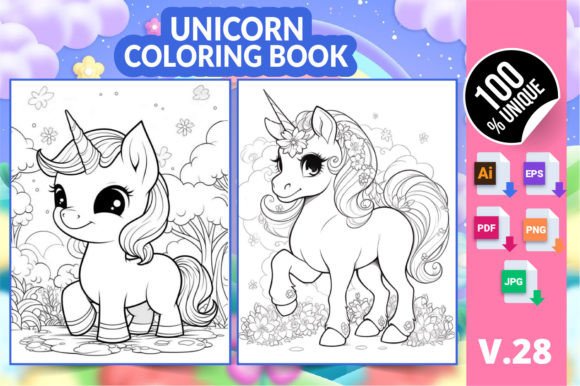
This particular interior, V28, contains six distinct unicorn-themed coloring pages with floral elements designed to appeal to both adults and children. The set provides files in AI, EPS, PDF, PNG, and JPG formats, all at 8.5” x 11” with high resolution. The inclusion of vector files means you can edit or resize the artwork without losing clarity. The PDF is ready for print, making it straightforward to upload to KDP as your book interior. For anyone wanting a quick start, this saves hours of design work. However, the convenience can lead to oversights if you treat the files as a simple drag-and-drop product without checking the details.
Mistake 1: Misunderstanding the File Formats
Receiving AI, EPS, PDF, PNG, and JPG files might feel like you have everything you need. Yet many people open the PNG for print or try to edit the JPG in a raster program, then wonder why the lines look fuzzy. The AI and EPS files are vector formats, ideal for editing in Adobe Illustrator or compatible software. The PDF is the primary print-ready file for KDP. The PNG and JPG are for previews, digital use, or quick printing but should not be your default for a high-quality book. A common error is converting the low-resolution JPG back into a PDF and uploading that, which degrades the image. Always use the provided PDF for the final KDP interior. If you must edit, work from the AI or EPS files and then export a fresh PDF at 300 DPI.
Mistake 2: Overlooking Resolution and Dimensions
The product specifies 8.5” x 11” and high resolution, but some users resize the images to fit a different trim size or reduce quality to save file size. Doing so can create blurry or pixelated pages, especially for fine details like unicorn horns or flower petals. Amazon KDP expects at least 300 DPI for print interiors. Check that the PDF you upload maintains the original dimensions and resolution. If you need a different size, use the vector files to scale the artwork proportionally—never stretch or compress. A small check: open the PDF and zoom in on a line; if it remains crisp, you are safe.
Mistake 3: Ignoring the Target Audience
This unicorn coloring set is marketed for adults, kids, and kindergarten students. That is a broad range. Some pages may be too intricate for very young children, while others might be too simplistic for adults seeking detailed therapeutic coloring. A mistake is to upload the entire set without considering which audience you are targeting. If your book is aimed at preschoolers, you might want to add more simple shapes or thicker outlines. For an adult coloring book, consider pairing these pages with more complex designs or using the vector files to add your own details. The best approach is to define your niche: a “Cute Unicorn Coloring Book for Kids Ages 4-8” will use the same pages but present them differently than a “Mindful Unicorn Coloring Book for Adults.” Your cover and description should reflect the intended difficulty level.
Mistake 4: Assuming It’s Ready to Upload Without Testing
The description says this interior is “fully tested in the Amazon KDP platform,” which is a good sign. But testing is not a one-time event. When you add your own cover, combine pages, or adjust margins, you introduce variables. A frequent issue is the file not conforming to KDP’s bleed and margin requirements. Even if the original PDF is correct, if you append additional pages or change the order, the trim area might shift. Always run the final PDF through KDP’s online previewer before hitting publish. Look for missing elements, incorrect page numbers, or any color shifts (though grayscale is typical). Also check that the PDF has no security settings that could block printing.
Mistake 5: Poor File Organization and Uploading the Wrong Version
The ZIP file contains multiple formats and likely six pages repeated in different folders. It is tempting to upload the first PDF you see, but that might be a sample or a proof file. Some interiors include a test page or a blank page. Organize your downloaded files with clear labels: keep the master PDF separate from editable files. Before uploading, remove any extras like the AI or EPS files—those are not needed in your KDP listing. A clean folder structure reduces the chance of accidentally including a file that confuses the system or your customers.
Mistake 6: Not Checking the Print-Ready Quality on Paper
“Print ready” means the file meets technical standards for digital printing, but it does not guarantee the lines are thick enough for markers or colored pencils. Unicorn coloring pages often have intricate floral patterns; if the lines are too thin or too light, ink may bleed through or the design may be hard to color within. Print one page on your home printer using the same paper weight you plan to use for your book. Examine the line darkness and thickness. If lines are faint, you can use the vector files to increase stroke weight before exporting. This step is especially important if you are selling to children who tend to press hard with crayons.
How to Avoid These Mistakes – Practical Steps
Start by opening the PDF and visually inspecting every page. Check that all six unicorn images are present and that the margins are even. Use Adobe Acrobat or a similar tool to confirm the page size is exactly 8.5 x 11 inches and the resolution is 300 DPI. If you plan to sell the book under your own brand, consider adding a copyright page or a “this book belongs to” page. You can insert those after the cover without altering the original interior, but ensure you do not change page formatting.
If you need to edit any artwork—for example, to add a background element or adjust complexity—work from the AI or EPS files. Vector editing preserves quality no matter how much you scale. After editing, export a new PDF with the same specifications. Then upload that PDF to Amazon KDP and use the preview tool to flip through each page. Look for any text or images that get cut off. Also verify that the file does not contain fonts that need embedding (this interior likely uses outlines, but it is worth checking).
For marketing, decide on a specific age group and tailor your book description, keywords, and categories accordingly. The unicorn theme appeals widely, but a generic listing may get lost. Use phrases like “cute unicorn coloring pages for toddlers” or “stress relief unicorn coloring for adults” to attract the right audience. Because the set has only six pages, you might combine multiple volumes or expand the interior by adding your own original pages. The files serve as a strong foundation, but a longer book often performs better on KDP.
What to Check Before Buying or Using a Unicorn Coloring Book Interior
Before purchasing any pre-made interior, verify the commercial license. The product description indicates it is ready for listing on Amazon KDP, so it likely includes a commercial use license. Still, confirm that you are allowed to sell it as your own and whether you need to credit the designer. Also check the file format compatibility with your software. If you do not have Adobe Illustrator, the AI and EPS files may be difficult to open. The PDF, PNG, and JPG are more universally accessible. For editing, some free tools like Inkscape can handle EPS, or you can convert files online, but that can introduce errors. Stick with the PDF if you only need a print-ready interior.
Examine the variety and style of the six pages. Unicorns with flowers, stars, and whimsical backgrounds often do well, but look for repetition. If all six pages are very similar, consider supplementing with other designs to keep the book engaging. The V28 set appears to offer different unicorn poses and floral arrangements, which is a good sign. Finally, consider the paper size: 8.5” x 11” is standard for US letter, which is ideal for coloring books. If you target international markets, you may need to adjust, but usually US letter works well globally on KDP.
Who Will Benefit From This Unicorn Coloring Book Interior
This product suits a range of users. KDP publishers can upload the interior quickly and focus on cover design and marketing. Teachers and parents can print the pages for classroom or home use from the PDF or JPG files. Hobbyists who love coloring but lack drawing skills will appreciate the high-quality line art. Freelancers and small business owners creating custom coloring books for clients can use these as a base and modify them. The download includes both print-ready and editable formats, offering flexibility for different workflows.
Final Thoughts on Unicorn Coloring Book KDP Interior V28
The Unicorn Coloring Book KDP Interior V28 is a practical asset for anyone entering the printable coloring book market. The variety of file formats, high resolution, and tested compatibility save time and reduce technical hurdles. However, the real value comes from how you use it. Avoid the common mistakes outlined here: know your file types, preserve resolution, tailor the book to a specific audience, test thoroughly on KDP, organize your files, and verify print quality on real paper. By doing these checks, you turn a generic template into a polished, professional product that stands out in a competitive marketplace. Whether you are publishing your first coloring book or expanding your portfolio, this interior gives you a solid starting point—just remember to invest a little extra effort into the details.